Digital 3D catalogs
for orthopedic shoes.
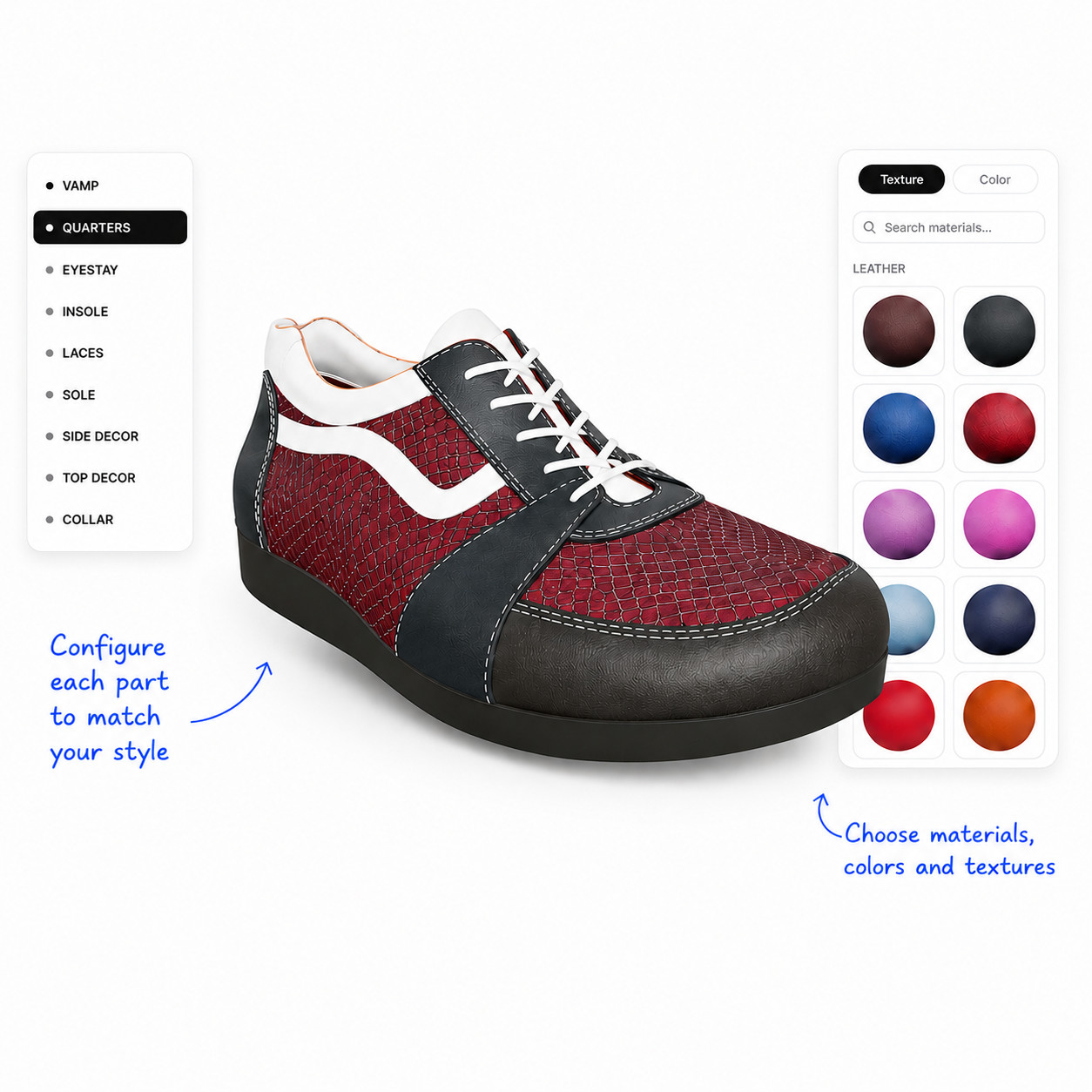
Replace printed catalogs and sample sets with a real-time 3D configurator your technicians and patients will actually use.
Printed catalogs are out of date the day they ship.
Every new model or material starts another reprint cycle — more shipping, more waste, and reps still flipping through last season's pages.
Paper specs get misread — and remakes are expensive.
Material codes scribbled on order forms become wrong shoes in the lab three weeks later. The manufacturer eats the cost; the patient eats the wait.
Patients wait weeks to see what they're getting.
There is no preview. The first time a patient sees their custom shoe is the day it arrives at the clinic.
From upload to preview, in three steps.
A 3D catalog in the browser. Manufacturers upload once, technicians configure in real time, patients see their shoe before it’s made.
Upload your catalog.
Manufacturers upload 3D shoe models (GLB, mesh parts named in Blender) and PBR material libraries. Set defaults per part, group products into catalogs, publish when ready.
Technicians configure shoes.
From any manufacturer's catalog, copy a base project, click any mesh part, swap a material, and submit the configuration as a draft order to the manufacturer.
Patients preview before it ships.
A magic link opens the configured shoe in 3D, in any browser. No account, no app store, no install. Multi-use, time-limited, default 1-week expiry.
Built specifically for orthopedic specification.
Not a generic configurator. Not a CAD tool. A purpose-built bridge between manufacturers, technicians, and patients — designed for the clinic workflow, not the design studio.
Real-time 3D configurator
Click any mesh part, swap any material, see the render update in the same breath. Six-channel PBR — color, normal, roughness, displacement, AO, metallic — for surfaces that read as physical.
Smart parts and variants
Design switchers (Front.001, Front.002…) are detected from the GLB and shown as a segmented control. Stitches follow their parent part automatically. No client-side modeling required.
Public catalog sharing
Publish any catalog at a clean, slug-based URL. Visitors browse products, open the 3D viewer, and swap materials from your library — no login, no install. One toggle to enable or disable.
One login, every manufacturer
Technicians work across every brand they specify shoes for from a single account. Switch organizations from a menu; each catalog opens with the manufacturer's defaults pre-applied.
Shareable configurations
Every saved configuration becomes a link. Show a colleague, send to the manufacturer as a draft order, or capture it as a QR code on the trade-show floor.
Patient magic links
Generate an anonymous, time-limited preview link. The patient opens it on a phone or laptop, rotates their custom shoe in 3D, and signs off before it ships.
One tool, three sides of the workflow.
Built for the manufacturer-to-technician-to-patient handoff — purpose-designed for each role, not retrofitted from a generic configurator.
Upload your shoes once. Reach every technician.
Retire printed catalogs and sample sets. Push updates the day a new material lands. Track which models and materials technicians actually use, and watch draft orders land in your dashboard.
Configure custom shoes for your patients in 3D.
One login for every manufacturer you work with. Click a part, swap a material, save the configuration as an order. Tablet-friendly by design — works in the clinic, not just at a desk.
See your custom shoe before it's made.
Open a link in any browser and rotate your shoe in 3D — no app, no install, no account. The link expires after a week, so your preview stays private.
Stop printing catalogs.
Start shipping configurations.
Free while we onboard our first manufacturers. Technicians will always be free.